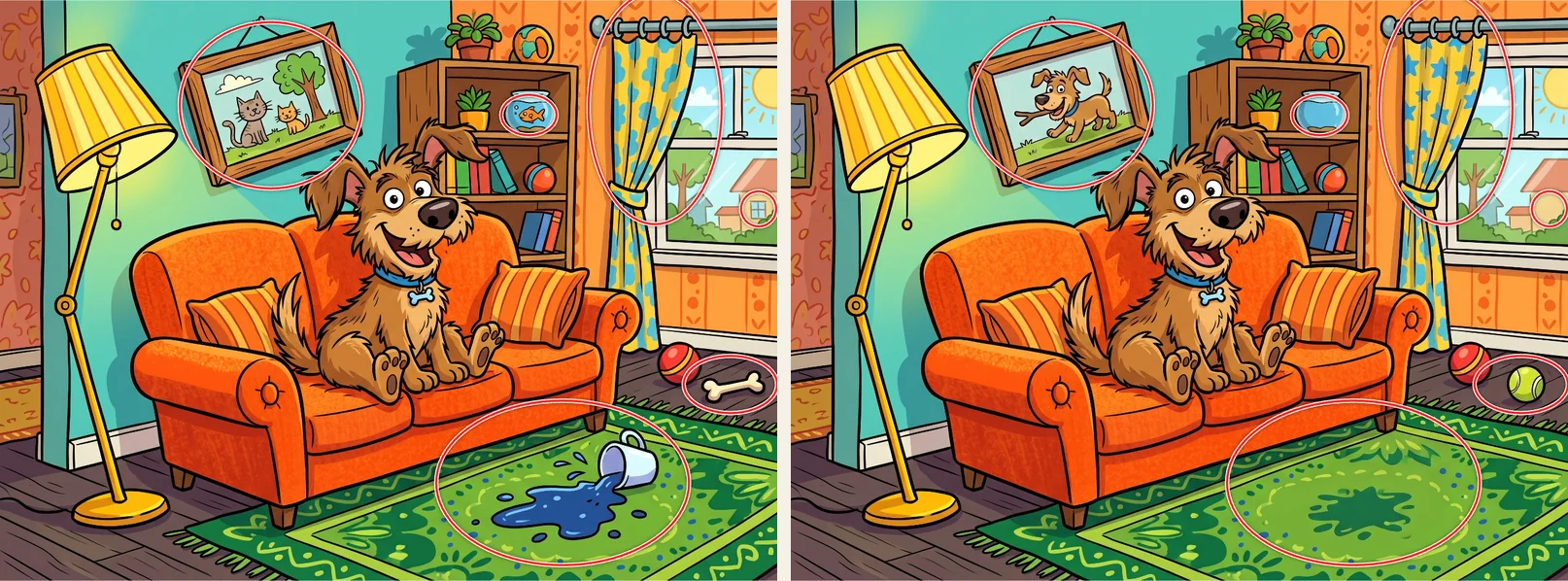
The editor has a default change prompt, and it's "Change 10 things". It works. You press the button, wait a bit, and get a second image with changes in it. But after building our official packs, we can say pretty confidently that it's also the fastest way to get a level nobody enjoys.
The problem is that "10 things" leaves every decision to the AI. Sometimes it moves a cushion by a few pixels and counts that as a change. Sometimes it recolors the entire wall. And you don't know what it did until you go looking, which is the player's job, not yours.
So most of what follows is about taking those decisions back.
Put the style in the pack, not in every level
What you write ends up in three places: the pack description, the description of each image, and the change prompt. The pack description is applied to every AI image in the pack, so that's where the style goes. Once. If you repeat "watercolor, soft light, pastel colors" in every single level, you'll eventually forget it in one of them and that level will look like it came from a different game.
A pack description that just says "cute pictures" gives you ten levels in ten styles. Something like this works much better:
"Colorful cartoon illustrations with bold outlines and flat colors. Everyday scenes in a small seaside town: harbor, market, bakery, beach. Friendly animal characters. Cheerful, sunny mood. No text in the images."
If a character shows up in several levels, describe them properly. "A small orange cat with a green collar" survives from level to level. "A cat" doesn't.
Describe things, not a mood
For a single level, the image description should be mostly a list of objects. That feels unnatural at first, because we're used to prompting for atmosphere. But you can't hide a difference in atmosphere. You hide it in a teapot.
Compare "a cozy kitchen in the evening" with this:
"A kitchen counter with a teapot, three mugs, a bowl of apples, a cutting board with bread, a clock on the wall, a potted plant on the windowsill, and a striped towel hanging from the oven door."
The second one is boring to read and great to play. Every object on that list is somewhere you can later put a difference. Saying something about the camera helps too, like "seen from the front" or "wide view of the whole room", otherwise you sometimes get a dramatic close-up of one mug.
There are a few things we've basically stopped asking for. Text is the big one. Signs, labels, book spines, anything with letters comes out slightly different in the second image, and players will tap it and be told they're wrong. We now put "no text, no labels, no logos" into almost every pack description. Gravel, dense leaves, and crowds of people are similar: any change in there is either invisible or unfair. Very dark or foggy scenes hide too much. And piles of overlapping objects are hard to edit without breaking something next to them.
The change prompt
This is where it matters most. Instead of "Change 10 things", write the list yourself:
"Make the teapot red. Remove the middle mug. Add a small bird on the windowsill. Change the clock to show three o'clock. Add a stripe to the towel. Keep everything else exactly the same."
Now you know what the differences are before you've even seen the result. You can decide that two of them should be easy and one should be mean. And the AI has less reason to improvise.
Some small things that make a real difference in our experience:
- Say which one: "the mug on the left", not "a mug".
- Say what it should become. "Make the door blue" works, "change the door" is a coin toss.
- One change per sentence. Long sentences with three "and"s tend to lose one of them.
- End with "Keep everything else exactly the same." It doesn't stop side effects completely, but it helps.
What doesn't work: vague requests like "make it more interesting", and anything global. "Make it look like evening" changes every pixel in the image, and then there's no puzzle left, just two different pictures. We'd also stay below about ten changes per prompt. Beyond that the AI starts forgetting some and inventing others.
If one change keeps going wrong, don't fight it in the big prompt. Select just that area in the editor and describe the change there, optionally with a mask. The rest of the image stays untouched, and you can check each change on its own.
You'll still need to clean up
Even with a perfect prompt, the AI changes more than you asked for. Slightly different wood grain, a shadow that moved, a cushion pattern that got redrawn. That's not your prompt's fault, it's just how these models work. The editor finds those spots for you, and we wrote a separate post about cleaning up the differences nobody asked for.
About models and resolution
Everything in the editor currently runs on Google's Nano Banana 2, which is good at following instructions and at leaving the rest of the scene alone. Since September you can also choose the resolution. We do our first attempts in SD or HD because it's quicker and cheaper, and switch to 2K or 4K for the version that actually gets published. Small differences need sharp pixels.
A full example
Here's everything we'd write for one level in a harbor pack.
Pack description:
"Watercolor illustrations of a small Mediterranean harbor town. Soft pastel colors, warm afternoon light, fishing boats, market stalls, cats. No text or logos."
Image description:
"A harbor quay with three fishing boats, a stack of crates, a fishing net hanging on a pole, a cat sitting on a barrel, a lamppost, seagulls in the sky, and houses with colorful shutters in the background."
Change prompt:
"Make the shutters on the blue house green. Remove one of the seagulls. Add a fish in the cat's mouth. Change the stripes on the middle boat from red to yellow. Add a second crate on top of the stack. Keep everything else exactly the same."
That gives you five differences. The green shutters and the extra crate are easy, the fish and the stripes take a moment, and the missing seagull is the one people will complain about. Which is how it should be.